Was Jasna a straightforward installation? Since I don't have Lada compatible GPU, I spun up a cloud based VM a few weeks ago to see how well it could depixalate some of my favorite releases, and I just couldn't get it working properly based on the available installation instructions. Your samples look awesome. I'd like to give this a try. Do you have some recommended settings you could share?
Installation is straightforward, but to configure it, you need to change a couple of settings in the NVIDIA Control Panel related to CUDA—I’m not sure if that’s possible with a cloud VM. You’ll also need the latest NVIDIA drivers.
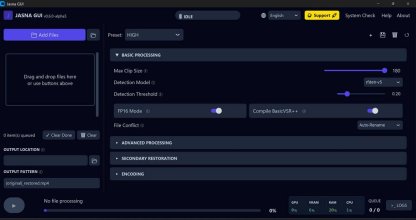
The custom settings depend on your PC, because each one uses more or less VRAM. I have everything set to maximum because I prefer it to be more accurate at removing mosaics, even if it takes longer. But with 4K movies, it already fills up the 16 GB of VRAM on my card. At 8K, I’d have to lower some settings, but it doesn’t work for me at 8K.
As I said, the setup is very simple; each option explains what to do, with messages like “if you enable this, you’ll use more VRAM but it’ll be faster” or “if you have 8 GB of RAM, set this value; if you have 12, set that one,” etc. It’s easy.
esults were pretty good but vr was a bit finicky, I did try the vr to fisheye conversion mentioned in the github issues before running jasna but it still failed to detect a lot of mosaics with a bit of tweaking.
The problem with VR is that it uses two images—one for each eye—but at different angles to create the 3D effect. So for it to work, the AI has to de-pixels the two mosaics in exactly the same way, which doesn't always happen.
First, it depends on the studio. There are 3 or 4 different mosaics (square, cube-shaped), and some work better than others. It works best with VR content from major studios. With others, it struggles a lot. It also depends on the distance. If the mosaic is too close or too far away, it doesn't work as well. It works much better at a medium distance, and the mosaic in the center of the camera.
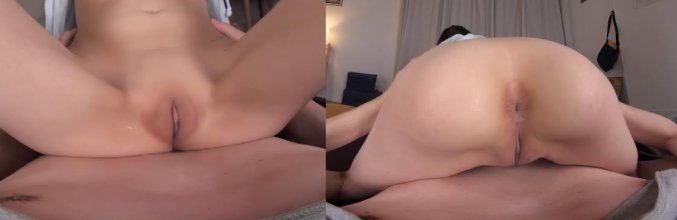
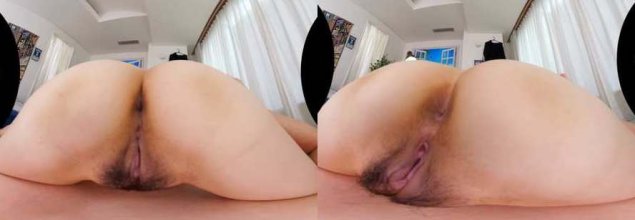
The best results are obtained when there’s nothing moving beneath the mosaic. For example, the screenshots from my previous post. In those, the motion is perfect; it’s like an uncensored movie. But as soon as there are fingers or penises, everything gets complicated. Sometimes it does it right:
Other times fingers appear and disappear, or get shorter or longer. Or a double penis.
Without hands, the blowjobs look almost perfect:
With hands, the fingers almost always get distorted, as you can see in this screenshot:
Sorry if it looks blurry. That’s the problem with modern VR—it’s forgotten about immersion, and the blowjobs are 500 kilometers away, with the actor lying down, and the 2D screenshot is way too far away.
In my case, even with some glitches, it’s still better than the mosaic, but it’s true that sometimes you have to discard it completely.
I recommend using VR Studio Toolbox because, while you could use Jasna or Lada in it (though Jasna doesn’t work for me), it’s designed for VR. It uses tricks like separating the left and right images and processing them separately, or applying fisheye effects in certain studios—all automatically. It takes five times longer than using Jasna alone, but the results are slightly better.