AI Video Generation - General Discussion, Tips, Tricks, Frustrations and Showcases

If the LoRA you're after is of a specific looking (or just specific) person, just my opinion, but I would opt for working on the LoRA with an image model. That way I could use it to place that person in any environment I wanted via prompts, and then send the images through a video model like Wan or LTX. I think it is harder and more hardware intense to try to train a video LoRA for a specific person.

Am I understanding that to be your goal? Train a video LoRA to produce a specific subject?
 
Yes, you're correct, my goal is to train a character LoRA to use with, say, wan 2.2 14B. I'm not familiar with any image models, but I'll look into that. I didn't even think about using an image gen AI, then using the resulting pictures with a video gen AI, but yeah, you're definitely right that training a LoRA for an image model should be less resource intensive. I'll report back once I have something to show!

(Edit: I completely misunderstood your previous post. I thought that you meant that training a LoRA on videos was not possible with my rig, but training one on images was, but now I get it. You didn't mean training a LoRA on videos or images for a video gen AI, but training one on images for an image gen AI.)
 
Last edited:
  • Like
Reactions: Casshern2
I think starting with an image LoRA is definitely a good way to get familiar with the whole process before jumping into video LoRA training. Once you have a character LoRA working well, you can use it to generate a consistent set of images and then experiment with feeding those into a video model like Wan 2.2.
 
  • Like
Reactions: Casshern2
I finally found an upscale workflow that didn't have OOM crashes. And it was a very unassuming video from an equally unassuming YT channel. Although, not sure this qualifies as a true upscale because the node that does the size increase is a simple resize node. But it works.

This was also a good test of a Flux 2 Klein workflow to place different subjects in the same space, so all these lovely ladies were creates separately then placed on this street.

Tokyo Street Walking 1
 
  • Like
Reactions: yuumi_fan
I think I'm done. I have made two LoRAs, neither worked, then I tweaked it, and now it would take forever to train one, so I put that aside for now to get wan 2.2 14B running. I eventually got it to run, chose one of the screenshots that I wanted to train a LoRA with, but the videos were not at all what I prompted. The first one was abysmal; I tweaked the workflow and the second one was better, but still not what I asked for. I linked the AI-upscaled photo and the two videos, you can view/play them in your browser. The prompt was "A young woman with blonde hair looks to her side and notices a penis." For the second one I changed that to "an erect penis", but that didn't help. This will be up for 3 days:


Also, while the videos were generating I caught a whiff of a burnt smell. The fans were not working at max speed, the GPU temperature was around 65 Celsius, so I'm not sure what it was (it could have been simply dust according to ChatGPT), but I'm not sure if I want to risk it being something serious. Unless this is normal?

So yeah, I think I'll just wait until they make a retard-proof software for people like me unless somebody here has advice on how to do better and whether or not I should be concerned about my hardware.

Edit: tried again with a different photo, this time only wanted nudity. The prompt was: "A young woman with blonde hair reveals her boobs." But man... this is nightmare fuel. I'm guessing it didn't look at the entire photo, just the preview that you can see on the site as well before clicking on the photo, but I don't know. I don't know how to deal with this. If anybody's got any advice, let me know, because I'm at the end of my rope here.

 
Last edited:
Hey, pal! I was out of town until today and just missed the 3 day mark on your first ones. I was able to grab your second one. The first thing is your image is a non-standard vertical size, not even true 16:9 (or here not even 9:16 since it is vertical) and your video size is 640x480 which is not 16:9 or vertical either. Your image should always track with your video in terms of aspect ratio. This is why it centered (the default for the node) and crops off the entire top and bottom, so it had no idea what her face looked liked, just that she was blonde which is also primarily the only reason the video pans up, because the model was trying to show the blonde hair you prompted.

I've learned that Wan likes to have descriptive prompts. Something too small like "A young woman with blonde hair reveals her boobs" isn't enough to get any meaningful results you had in mind, and it forces the model to just make something up. Your video did what you asked, to the model, she is revealing as in "showing" or "displaying" her boobs, but because you didn't mention "bare boobs" or "naked boobs" or even just mention her nipples, she wasn't generated to actually show them. Now, this stuff being what it is and how it works, it's possible different passes with different seeds would eventually show them.

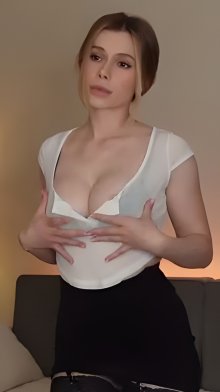
Here I've taken your image, cropped off the bottom to create a true-ish 9:16 image to feed Wan 2.2. One trick I've used and used here is to ask Google to create a prompt for Wan 2.2 with replacement language. I asked it:

Take this simple prompt of a woman trying to bring emphasis to her necklace by touching it and holding it for the viewer. This is for a Wan 2.2 I2V prompt so it has to be descriptive: A young woman with blonde hair reveals her necklace

Whatever it spits out I replaced necklace and any other words that need to change to mean her boobs. Here was the original result:

A close-up shot of a young woman with blonde hair gracefully raising her hand to her chest. Her fingers gently pinch and lift a delicate silver necklace away from her collarbone, holding it up toward the camera to present it to the viewer. The camera holds focus tightly on the shimmering pendant of the necklace. Her expression is warm and intentional, with a soft smile, ensuring the viewer's attention is entirely drawn to the jewelry. The motion is smooth, deliberate, and elegant, with subtle, natural micro-movements in her hair and shoulders.

I changed it to:

A close-up shot of a young woman with blonde hair lifts her blouse above her chest exposing her bare breasts and nipples. Her fingers gently touch her breasts, holding them up toward the camera to present them to the viewer. The camera holds focus tightly on her breasts. Her expression is warm and intentional, with a soft smile, ensuring the viewer's attention is entirely drawn to the jewelry. The motion is smooth, deliberate, and elegant, with subtle, natural micro-movements in her hair and shoulders.

Here is the image and the video that came it produced on the first try, which may have been luck, BUT it certainly didn't have her lift her shirt, she destroyed it LOL. But, you get the idea.

01.jpg