ChitraMaya v1.50.00 — Measured-Quality Release
This is a big one — hence the version jump. Full-clip temporal restoration, a measurement harness so you can check our claims yourself, an 8 GB preflight that warns you
before a run instead of failing after, and a long tail of field-reported fixes.
All editions (NVIDIA, AMD ROCm, Intel Arc) benefit from this release.
_______________________________________________________________________________________________________________________
Installing
⚠ NVIDIA edition: if the release lists THREE files, you need ALL THREE.
The .exe by itself is not the program — it is the unpacker for the other two parts. Download all the ChitraMaya-install.* files into the same folder, then run ChitraMaya-install.exe. If the release page shows only a single ChitraMaya-install.exe, that one file IS the whole installer — double-click it and pick a folder.
The AMD (ROCm) and Intel Arc (XPU) editions are each
one *-install.exe: double-click, pick a folder, done.
Headline: full-clip temporal restoration
BasicVSR++ propagates information
between frames — a detail visible in frame 40 helps reconstruct frame 140. Until now, the PyTorch restoration path silently split every scene into 32-frame chunks, resetting that propagation at each seam. As of v1.50.00 the model sees the
whole clip in one pass, exactly as its authors intended.
- UI: with Use Tensor off, the Max Clip Length dial is now unlocked up to 600 frames — the dial IS the temporal window on the PyTorch path. Longer = smoother, more consistent restoration, at the cost of memory.
- Safety valve: if a long window doesn't fit your RAM/VRAM, set "restoreChunkFrames": 32 in ChitraMaya-config.json (or --restore-chunk-frames 32 headless) to restore the old chunked behavior. 0 (the default) means no cap.
- AMD and Intel editions (Releases to follow at a later time): these run PyTorch restoration always, so this is the single biggest quality change those editions have ever received. Expect visibly steadier restored regions — and higher memory use on long scenes; the safety valve above is your dial.
- NVIDIA TensorRT path: unchanged — compiled engine sets still govern the clip window there (see the VRAM section below).
Credit where due: the correct no-cap behavior was confirmed by studying
lada's pipeline, which has had it right all along. Standing on shoulders, as always — see the README acknowledgements.
Measured: how we now compare — and the tool so you can check
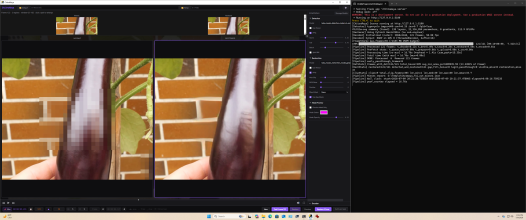
We built a paired-evaluation harness and ran a five-way controlled comparison — original vs. mosaic vs. restorations from lada and from ChitraMaya, on identical inputs with matched settings.
- Core restoration is at parity. With enhancements off and settings matched, ChitraMaya's restored regions are statistically indistinguishable from lada's — as expected, since both build on the same model lineage and we credit that lineage openly.
- The enhancement stack is real, and it measures. With RTX Super-Res + Temporal Stability enabled, the full ChitraMaya stack produced the lowest frame-to-frame flicker of every arm we measured — better than either tool's core output — while holding fidelity.
- The harness ships in this release: tools/ab_eval.py (run from a source checkout). It aligns clips automatically, masks metrics to the restored regions, and reports fidelity, texture, motion, and flicker per arm, plus side-by-side renders and a contact sheet.
- New detection option to support it: "detection": { "dump_rois": true } (or --det-dump-rois) writes every detection rectangle per frame into the run's .misses.json.
Smarter about 8 GB cards: warned before, not failed after
TensorRT restoration engines reserve GPU memory for the clip size they were
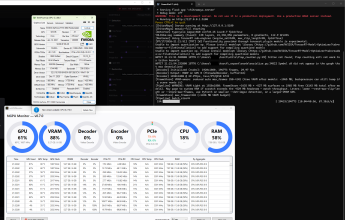
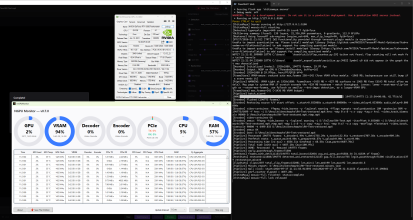
compiled at — not the Max Clip value you dial. Selecting MCL 60 while only a 180-frame engine set is on disk still pays the 180-frame memory bill, and on an 8 GB card that ends in a mid-run encoder failure ("NVENC error 8") that looks like anything but what it is.
- Preflight CAUTION at engine selection. If the engine set about to load is too large for your card, the console now says so before processing starts — naming the set, the reason, and the fix.
- Encoder headroom check. After models load, if free VRAM is below what the encoder realistically needs, you get a warning up front instead of a cryptic failure at first flush.
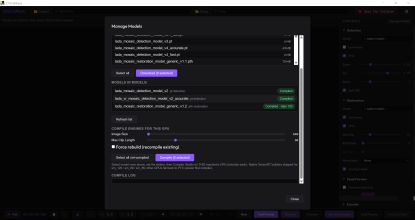
- Guidance: compile engine sets at each Max Clip you actually use (e.g. 30/60/90/120 — Manage Models, one compile each). The loader always picks the smallest compiled set that covers your dial. On an 8 GB card, sets of 90 and below are comfortable; 120 is marginal; 180 needs a 16 GB card.
- The frame-store banner now correctly says RAM when frames are held in system memory rather than VRAM.
Fixed: the big-file finalize (50 GB+ outputs)
The end-of-run remux had a flat 15-minute timeout — fatal for a 50 GB output on a slow disk, since the fast-start option rewrites the entire file a second time. A finalize that was
still working got killed, turning a finished encode into a failed run. The timeout now
scales with output size (a 50 GB file gets over an hour), and if it does trigger, the message points at the recovery script, which rebuilds the playable file from the preserved raw stream with no re-encode.
Fixed: PyNvVideoCodec 2.2 compatibility (NVIDIA)
NVIDIA's PyNvVideoCodec 2.2 changed the encoder's return format, which broke encoding for anyone who upgraded the package. ChitraMaya now handles both the 2.1 and 2.2 formats transparently. requirements.txt was refreshed to match the tested stack, including the nvidia-vfx runtime that RTX Super-Res needs.
Fixed: your player no longer guesses colors
Restored outputs used to ship without color-space tags, even when the source carried them, so players guessed — the mystery "it pops more" effect that started our whole measurement campaign. The output now carries the source's color tags (bt709, range, etc.) in the codec's own metadata, surviving stream-copy remuxes.
Quality-of-life
- Two instances, two ports, two logs. Launching a second copy now announces its port clearly (Instance 2: port 5100 busy; running on port 5101) and writes its own console log.
- Model-file errors in plain language. Missing checkpoint → "download it via Manage Models"; truncated download → diagnosed by size; wrong file type selected → targeted hint.
- Empty model dropdowns now tell you what to do instead of silently showing nothing.
- PCIe watchdog: all-clear messages. Prints an explicit "RECOVERED" note when a transient down-train heals itself. A down-train without recovery remains the serious signal.
- Self-check now prints each GPU's VRAM and reports versions for every bundled component.
- End-of-run stats are honest about the tail — time restoring the final clip after the input ends is now billed to restore time.
- Packaging (all editions): every edition's build script now accepts -FfmpegDir to pin exactly which ffmpeg gets bundled.
Acknowledgements
The full-clip temporal window behavior was confirmed against
ladaapp's lada. ChitraMaya exists because of
ladaapp and
HypoX64 before him, who published their work openly.
ChitraMaya's BasicVSR++ TensorRT sub-engine implementation is ported from
Kruk2's Jasna, as the source file headers have always noted — both projects are AGPL-3.0.
Upgrade notes
- No breaking changes. Compiled engines, downloaded models, and saved configs carry forward as-is.
- PyTorch-path outputs will differ from previous versions — on purpose. Set "restoreChunkFrames": 32 if you need bit-comparable behavior with old runs.
- 8 GB NVIDIA cards: open Manage Models once and compile restore engine sets at the Max Clip values you actually use (30/60/90 recommended).
- Source-checkout users (NVIDIA): pip install -r requirements.txt after pulling.
_______________________________________________________________________________________________________________________
Download: github.com/seatv/ChitraMaya/releases



)
)