

DE-censoring JAV with Free Open source LADA application
- Thread starter avatarthe
- Start date
-
Akiba-Online is sponsored by FileJoker.
FileJoker is a required filehost for all new posts and content replies in the Direct Downloads subforums.
Failure to include FileJoker links for Direct Download posts will result in deletion of your posts or worse.
For more information see this thread.

You are using an out of date browser. It may not display this or other websites correctly.
You should upgrade or use an alternative browser.
You should upgrade or use an alternative browser.
I'm interested in Chitramaya, but I've been using Jasna with some success. How would you say it compares?
Hm...
(1) Chitramaya is not meant to be a real-time player - though you can trick it to behave like one
 - it uses HTML 5.0 player for display.
(2) It is meant to serve as a conversion (mosaic removal) studio. You can play around with restoration and detection settings, visualize your changes and decide if you want to process the whole video with those settings. It lets you compare upto 5 different changes
(3) It is geared toward people who have large collections of high-res and VR videos
(4) The only software that natively supports 3D-SBS split L/R ->process -> merge
(5) All features are free to use - including SuperRes scaling and temporal stabilization of scaled regions ( It does have button that if clicked will take you to a charity and you can donate to SaveTheChildren.org).
(7) Batch Processing capability
(8) We do not ship or train models - for mosaic removal and addition, it depends on ladapp's models, another reason why ChitraMaya will never go behind a paywall of any sort
(9) The only open source software that I know of that lets you add mosaic by graphically selecting a region or multiple regions and visualize it
(10) The only software that lets you add mosaics to non-mosaic'd NSFW content (relies on ladaapp's model)
(11) Lets you download and install models of your choice from huggingface, compile to TRT engines and run
(12) Recently started releasing Intel and AMD discrete GPU versions
You can always install and find out how it differs. I have not used Jasna much, started building my own once lada disappeared from github, never to be caught flat footed.
Few additions from my side for people that are wondering about the differences outlined above.
1. Jasna supports real time playback (via stash, browser or built-in player). On 5090 it can handle 4K@60fps with 2nd restoration.
2. Jasna does allow you to do the same via Segment Processing window - you can pick detection settings, see results and then process only selected fragments or entire video.
3. Jasna provides the highest processing speed so its perfect for people with large collections to restore
4. Jasna does support natively 3D-SBS split -> process -> merge so Chitramaya is not the only one.
5. All features of Jasna are free except proprietary 2nd restoration model (unet4x) but free users have access to TVAI and RTX Super Res
7. Jasna does support batch processing (advanced queue system)
8. Jasna has SD 1.5 for still images restoration but core restoration still depends on lada model.
9. Not sure whats the use case here, allowing user to select region probably doesn't translate well to the actual restoration process. Jasna allows user to draw their own mosaic which is then used to train next-gen rf-detr model
10. OK
11. Jasna supports all YOLO/Lada models so you can download whatever you want from whatever place
12. Jasna supports Nvidia and AMD.
Bonus:
Chitramaya high processing speed (bascivrspp sub-engines logic is directly copied from Jasna source code).
Although Chitramaya still uses an older version which consumes a lot of VRAM.
1. Jasna supports real time playback (via stash, browser or built-in player). On 5090 it can handle 4K@60fps with 2nd restoration.
2. Jasna does allow you to do the same via Segment Processing window - you can pick detection settings, see results and then process only selected fragments or entire video.
3. Jasna provides the highest processing speed so its perfect for people with large collections to restore
4. Jasna does support natively 3D-SBS split -> process -> merge so Chitramaya is not the only one.
5. All features of Jasna are free except proprietary 2nd restoration model (unet4x) but free users have access to TVAI and RTX Super Res
7. Jasna does support batch processing (advanced queue system)
8. Jasna has SD 1.5 for still images restoration but core restoration still depends on lada model.
9. Not sure whats the use case here, allowing user to select region probably doesn't translate well to the actual restoration process. Jasna allows user to draw their own mosaic which is then used to train next-gen rf-detr model
10. OK
11. Jasna supports all YOLO/Lada models so you can download whatever you want from whatever place
12. Jasna supports Nvidia and AMD.
Bonus:
Chitramaya high processing speed (bascivrspp sub-engines logic is directly copied from Jasna source code).
Although Chitramaya still uses an older version which consumes a lot of VRAM.

Few additions from my side for people that are wondering about the differences outlined above.
1. Jasna supports real time playback (via stash, browser or built-in player). On 5090 it can handle 4K@60fps with 2nd restoration.
2. Jasna does allow you to do the same via Segment Processing window - you can pick detection settings, see results and then process only selected fragments or entire video.
3. Jasna provides the highest processing speed so its perfect for people with large collections to restore
4. Jasna does support natively 3D-SBS split -> process -> merge so Chitramaya is not the only one.
5. All features of Jasna are free except proprietary 2nd restoration model (unet4x) but free users have access to TVAI and RTX Super Res
7. Jasna does support batch processing (advanced queue system)
8. Jasna has SD 1.5 for still images restoration but core restoration still depends on lada model.
9. Not sure whats the use case here, allowing user to select region probably doesn't translate well to the actual restoration process. Jasna allows user to draw their own mosaic which is then used to train next-gen rf-detr model
10. OK
11. Jasna supports all YOLO/Lada models so you can download whatever you want from whatever place
12. Jasna supports Nvidia and AMD.
Bonus:
Chitramaya high processing speed (bascivrspp sub-engines logic is directly copied from Jasna source code).
Although Chitramaya still uses an older version which consumes a lot of VRAM.
Thanks for posting that. I'm a jasna fan, and after trying both over the last few days, jasna is still the preference. I'm also a supporter, so I get access to unet4x. Love the program!

Few additions from my side for people that are wondering about the differences outlined above.
...
Bonus:
Chitramaya high processing speed (bascivrspp sub-engines logic is directly copied from Jasna source code).
Although Chitramaya still uses an older version which consumes a lot of VRAM.
Kruk2 is correct, and it's not a secret — ChitraMaya's BasicVSR++ sub-engine implementation began as a port of Jasna's, and says so in the code (line #12) from the time we used it. ("Faithful port of Jasna's basicvsrpp_sub_engines.py"). Both projects are AGPL-3.0 — the license that exists precisely so projects can build on each other openly, the same way Jasna builds on ladaapp's models. What I should have done is credit kruk2/Jasna in the README Acknowledgements alongside HypoX, ladaapp, zelefans, and pifroggi, not just in the code. That has been fixed as of today — thank you for the prompt. And you're right that our port is from an older revision; if the newer version's VRAM improvements are as good as you say, that's a compliment to your work and I'll happily study it — that exchange is what the AGPL-3.0 license is for.
If you used ChitraMaya for a few days, please consider donating to my favorite charityThanks for posting that. I'm a jasna fan, and after trying both over the last few days, jasna is still the preference. I'm also a supporter, so I get access to unet4x. Love the program!
Well, I guess "used" is overstating it. I did some comparison previews, and never actually fully restored a movie because it didn't improve or match jasna. I promise if it gets to a point that I use it in my workflow I'll be happy to contribute. Right now I'm not seeing a reason to use it over what I already have, particularly with the v0.10.0 update.If you used ChitraMaya for a few days, please consider donating to my favorite charity
Hi, I was just kidding around.Well, I guess "used" is overstating it. ...
ChitraMaya — official SHA-256 checksums
Official downloads live only on GitHub:
NVIDIA edition (+ patches) · AMD ROCm edition
Got the files from a mirror, a forum re-upload, or a friend? Verify before running. In PowerShell:
Compare against the values below. If a hash does not match, do not run the file — download from GitHub instead. ChitraMaya is open source (AGPL-3.0); mirrors are allowed, but only matching hashes are my builds.
NVIDIA — Release-1.60.00 page (installer + update patches)
AMD ROCm — Release-1.40.02
Intel Arc — Release-1.41.00
(Checksums for these releases as of 2026-08-23. Future releases carry their own checksums on their GitHub release pages.)
Official downloads live only on GitHub:
NVIDIA edition (+ patches) · AMD ROCm edition
Got the files from a mirror, a forum re-upload, or a friend? Verify before running. In PowerShell:
Code:
Get-FileHash <file> -Algorithm SHA256NVIDIA — Release-1.60.00 page (installer + update patches)
Code:
f93f10f90a5eb3442dd8f44b191ee49d3ff4ab2ca6c64a8f46b8f6f57f6a8d73  ChitraMaya-install.7z.001
f31a4cba8655cb966f138b63759835bd12a741c435707dee7bb930fde50c397e  ChitraMaya-install.7z.002
ab414abd475df73e58c97ba211d06c1b2decf74bc68808013cd1223cd23e1bc9  ChitraMaya-install.exe
3b357164d1e58263f08f8978ef4d000ecc54e88771c756c2fdc99d541a4445ba  ChitraMaya-patch-1.50.00-to-1.60.00.zip
62e8a8c8eb95cf51eb01c3ff544f7bbd93edc6e05eb088d82967e61db62041ea  ChitraMaya-patch-1.60.00-to-1.60.01.zip
AMD ROCm — Release-1.40.02
Code:
565467995dca611c25d122d6e2c1187b7c42c39ff57e203d09464ffce0f0fe81 ChitraMaya-rocm-install.exeIntel Arc — Release-1.41.00
Code:
55a39bc5b557839f9c014f5baf59adc4c8807d7fcde3559b8f7fa04299dd29a9 ChitraMaya-XPU-Install.exe(Checksums for these releases as of 2026-08-23. Future releases carry their own checksums on their GitHub release pages.)
Hey all, just stumbled onto this thread. I've been using Javplayer for a while and it looks like its outdated. I've skimmed the thread and seems like jasna edges out over lada and chitra. Just want to ask how these do with big block mosaics like NACR-152? When put through javplayer its just washed out completely and is unwatchable. I'm also edging towards chitra because it seems easier to install.
I can only comment on Jasna v10 having not tried the others. I have NACR-831 1920 size. Here are some screenshots from the film:


That looks pretty good to me.
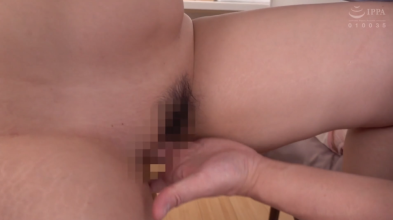
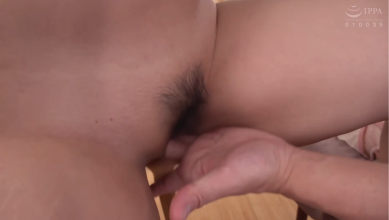
As you can see, Jasna isn't perfect. Sometimes two fingers appear as one. Faces in between legs are also not quite right but much better and not as distracting as JavPlayer. Also dildos and the like sometimes aren't quite right. On the whole though it's pretty impressive and most faults are tolerable.
I found Jasna easy to install. Make sure you have a suitable PC, processor and GPU (clear guidance is on the Jasna site). You select the appropriate downloads (in my case three parts for Windows - which is meant for those with Nvidia GPU). Follow the clear instructions on the site. I found the GUI easy to use. I have so far not found the 'Secondary Restoration' does much if anything but I still use it 'just in case' - it surely can't do any harm.
As I say, I haven't used Lada or ChitraMaya. They may be better but I'm happy with Jasna. At times it is amazingly good and most times it is acceptable.
That looks pretty good to me.
As you can see, Jasna isn't perfect. Sometimes two fingers appear as one. Faces in between legs are also not quite right but much better and not as distracting as JavPlayer. Also dildos and the like sometimes aren't quite right. On the whole though it's pretty impressive and most faults are tolerable.
I found Jasna easy to install. Make sure you have a suitable PC, processor and GPU (clear guidance is on the Jasna site). You select the appropriate downloads (in my case three parts for Windows - which is meant for those with Nvidia GPU). Follow the clear instructions on the site. I found the GUI easy to use. I have so far not found the 'Secondary Restoration' does much if anything but I still use it 'just in case' - it surely can't do any harm.
As I say, I haven't used Lada or ChitraMaya. They may be better but I'm happy with Jasna. At times it is amazingly good and most times it is acceptable.
Hi, ChitraMaya has a preview mode you can use to try various settings to see what the best one is for you video. You can compare up to five different settings and select and run the whole file with the best setting.Hey all, just stumbled onto this thread. I've been using Javplayer for a while and it looks like its outdated. I've skimmed the thread and seems like jasna edges out over lada and chitra. Just want to ask how these do with big block mosaics like NACR-152? When put through javplayer its just washed out completely and is unwatchable. I'm also edging towards chitra because it seems easier to install.
Similar threads

- Replies
- 38
- Views
- 9K

- Replies
- 29
- Views
- 3K
- Replies
- 223
- Views
- 58K

- Replies
- 42
- Views
- 20K